Best CMS for Government Websites
That Work for Your Community
Someone in your community needs a form. Or a notice. Or just an answer. Where do they go first? Your website. Civic CMS is a content management system built for government agencies. It’s secure. It’s easy to use. And your own staff can run it. Fixing a typo or posting a notice shouldn’t mean an IT ticket and a week of waiting.
Modernize Your Government Website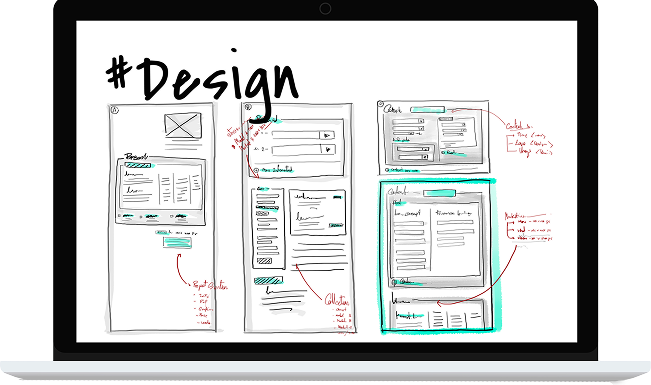
What a Modern Government Website Should Deliver
People come to a government website to get something done. Pay a bill. Find a form. Check a notice. The site has to work for every one of them.
Built to Integrate with Government Ecosystems
Civic CMS works with the tools your teams already use:
SMS and email gateways
Payment
systems
Third-party
APIs
Departmental applications
External service portals
Government Content Management System
Designed for Public Sector Communication
In government, there’s not much room for guesswork. We kept that in mind when we built Civic CMS. Clear structure, compliance and openness come first.
Centralized Admin Control
Content, departments, users, roles and permissions all sit in one dashboard. Your admins aren’t jumping between screens all day.
Multilingual and Responsive Experience
Want your pages in more than one language? Publish once. They show up properly on any device or browser. You don’t do the work twice.
Role-Based Publishing & Approval Workflows
You choose who writes, who reviews and who publishes. Every step gets an approval and a record.
Election Mode & Compliance Controls
During an election or another regulated period, a special publishing mode can hide sensitive content until the restrictions lift.
Geo-Location Integration
Office and department locations come straight from the built-in Google Maps connection.
News, Tenders & Time-Bound Publishing
Give notices, tenders, alerts and documents an end date. When it passes, your archive rules take over.
Media & Document Management
Documents, images, videos and reports live in one place. Access stays locked down.
SEO & Metadata Controls
You control page descriptions, web addresses and search settings. That makes your content easier to find.
Built-in Accessibility Tools
Accessibility comes with the platform. You get larger text, theme switching, screen reader support and ready-to-use accessible templates.
Performance Dashboard & Analytics
See who’s doing what. See which content changed. See how people use the system, live.
How Civic CMS Would Work for Your Government Website
No two agencies run the same way. Your approvals, your structure and your compliance needs are yours. So let’s talk about how your team works. Then we’ll see if Civic CMS is a good fit.
Let’s Talk
Real Outcomes for Your Team and Your Community
A site that’s organized, easy to use and simple to manage does more than look good. It changes your staff’s day. It changes how residents feel about dealing with your office.
Operational Impact

Resident Experience Impact

Strategic Impact

Security and Compliance Built for Government Standards
Civic CMS is built around the security rules public agencies have to follow.
WCAG AA Level Compliance
Built to support the international accessibility standard. People of all abilities can use your services.
GIGW 3.0 Alignment
Helps you meet the Indian government’s website guidelines. They cover governance, accessibility and digital inclusion.
OWASP Top 10 Protection
Built-in protection against the most common website attacks.
VAPT & Third-Party Security Audit Support
Ready for security testing and outside audits.
End-to-End Encryption
Sensitive data, login details and important links stay protected.
Auto-Archiving & Audit Logs
Content follows a clear lifecycle. Every action is recorded. Compliance gets easier to handle.
Your Roadmap to a Modern Government Website
Updating your website doesn’t mean tearing it all down. We bring in Civic CMS one phase at a time. Each phase is planned around how public agencies actually work.
Assess Your Current Website
We start by looking at how your content is organized, how your teams publish, how accessible the site is and what it depends on. That’s where the real gaps show up.
Define Governance and Ownership
Then we agree on ground rules for every department. Who can publish. How approvals work. What compliance needs.
Deploy and Integrate
Next, we set up Civic CMS alongside the systems, forms and communication tools you already have.
Optimize and Improve
After launch, your usage data shows what to work on next. Maybe navigation. Maybe clearer content. Maybe the overall experience.
Why Civic CMS Is the Best CMS for Government Agencies
Content goes live sooner in every department.
Your IT team handles fewer routine tickets.
Better navigation means residents find answers on their own.
Everyone gets the access their role needs. Every change is recorded.
Phones, tablets, computers. It runs well on all of them.
Built to help you meet accessibility standards.
A government website should reduce confusion, not create it.
Thinking about a fresh start for your website? Let’s sit down and talk about what would work best for your agency.
Frequently Asked Questions About Civic CMS
Connect with XDuce Public Services
Want to learn more or book a personalized demo? Fill out the form. Our team will get back to you soon.
We understand how public agencies work, and we want to help your government grow, adapt and serve people better.
No long-term commitment required.